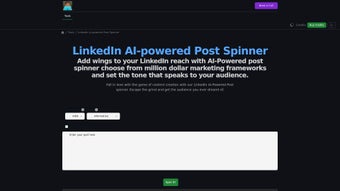

Download Linkedin Post Spinner – AI‑Powered LinkedIn Content Tool
Overview
Linkedin Post Spinner is a web‑based, AI‑driven application built specifically to boost the reach and engagement of your LinkedIn posts. By combining proven marketing frameworks with natural‑language tones, the tool lets you generate compelling, audience‑focused content in seconds. Whether you are a sales professional hunting new leads, a marketer crafting brand stories, or a thought‑leader sharing insights, the spinner tailors each draft to the preferences of your network.
The standout AI recommendation engine analyses your industry, target audience, and recent engagement trends to suggest the most effective framework (such as AIDA, PAS, or Storytelling) and tone (informative, inspirational, conversational, etc.). This reduces the mental load of content creation, speeds up publishing schedules, and ultimately drives more profile visits, connection requests, and inbound leads. Because it runs entirely in the browser, there is no software to install, and all data stays encrypted during transmission, ensuring a secure and privacy‑first experience.
The tool is free to try, with optional premium upgrades for unlimited spins, advanced analytics, and bulk export options.
Key Features & AI Recommendations
- Multiple Marketing Frameworks: Choose from AIDA, PAS, FAB, Storytelling, and more, each pre‑wired to a LinkedIn‑friendly structure.
- Tone Selector: Switch between informative, inspirational, conversational, professional, and casual tones with a single click.
- AI‑Powered Recommendation Engine: The system analyses your niche and recent post performance to suggest the optimal framework and tone.
- Instant Spin & Preview: Generate a fully formatted LinkedIn post in under 10 seconds and view a live preview before publishing.
- Lead‑Generation Templates: Pre‑built templates for webinars, case studies, product launches, and thought‑leadership pieces.
- Content Export Options: Copy to clipboard, download as .txt, or export directly to LinkedIn via a secure API (premium).
- SEO‑Friendly Keywords: The AI injects relevant industry keywords to improve discoverability on LinkedIn’s internal search.
- Analytics Dashboard (Premium): Track spin usage, engagement metrics, and conversion rates over time.
- Secure Cloud Processing: All AI calculations occur on encrypted servers; no personal data is stored long‑term.
Installation, Usage & Compatibility
Because Linkedin Post Spinner is a cloud‑native web application, there is no traditional installation process. All you need is a modern browser (Chrome, Firefox, Edge, Safari) and an internet connection. Follow these simple steps to start creating high‑performing posts:
- Visit the Official Site: Navigate to linkedinpostspinner.com and click the “Start Free” button.
- Create an Account (Optional): For unlimited spins and premium features, sign up with your email or LinkedIn credentials. Guest users receive 5 free spins per day.
- Select a Framework: From the dropdown, choose a marketing framework that matches your goal (e.g., AIDA for sales, Storytelling for brand narrative).
- Pick a Tone: Choose the voice that aligns with your audience—informative for data‑driven readers, inspirational for leadership circles, or conversational for community building.
- Enter Core Content: Provide a short brief, keywords, or a raw idea. The AI will expand it into a full LinkedIn post.
- Review AI Recommendation: The system may suggest an alternative framework or tone based on real‑time trend analysis—accept or ignore as you wish.
- Spin & Edit: Click “Generate”. The spinner returns a ready‑to‑post draft. You can edit inline, adjust hashtags, or add emojis.
- Publish or Export: Copy the text directly to LinkedIn, download as a file, or use the premium API to post automatically.
Compatibility: Since the tool runs in the browser, it works on Windows 10/11, macOS Ventura and later, Linux distributions, as well as Android and iOS mobile browsers. No additional plugins or extensions are required.
Pros, Cons & Expert Review
Pros
- AI recommendations reduce guesswork and increase post relevance.
- Wide selection of frameworks and tones fits diverse industries.
- Zero‑install, cross‑platform access via any modern browser.
- Secure, encrypted processing protects sensitive business information.
- Free tier provides enough spins for occasional users.
Cons
- Premium features (API integration, analytics) require a subscription.
- Dependence on internet connectivity; offline use is not possible.
- AI may occasionally produce generic phrasing that still needs manual tweaking.
Linkedin Post Spinner stands out as a highly practical tool for professionals who need to maintain a consistent posting schedule without sacrificing quality. The AI recommendation engine is surprisingly accurate, often suggesting frameworks that align perfectly with the intended call‑to‑action. While the free version is generous enough for casual users, power users will appreciate the premium analytics dashboard that links spin data to actual LinkedIn engagement metrics. The only drawback is the lack of offline capability, which could be a deal‑breaker for users in low‑bandwidth regions. Overall, the spinner delivers a solid ROI for anyone serious about LinkedIn lead generation.
Frequently Asked Questions
Is Linkedin Post Spinner completely free?
The core spinner is free and includes up to 5 spins per day for guest users. A paid subscription unlocks unlimited spins, API posting, advanced analytics, and priority support.
Can I use the tool on my mobile device?
Yes. Because the application runs in a web browser, it works on Android and iOS browsers with the same functionality as on desktop.
How does the AI recommendation engine decide which framework to suggest?
The engine analyses your industry keyword set, recent LinkedIn trends, and the goal you select (e.g., lead generation, brand awareness). It then matches these signals to the framework that historically yields the highest engagement for similar content.
Is my data safe when I use Linkedin Post Spinner?
All data transmitted between your browser and our servers is encrypted with TLS 1.3. We do not store personal content longer than 24 hours unless you opt into premium analytics, which adheres to GDPR standards.
Can I integrate the spinner directly with LinkedIn for one‑click posting?
Yes, premium subscribers gain access to a secure API that posts the generated text to your LinkedIn feed with a single click, eliminating manual copy‑paste steps.
Conclusion – Boost Your LinkedIn Presence Today
If you’re looking for a reliable, AI‑enhanced way to keep your LinkedIn timeline fresh, engaging, and lead‑generating, Linkedin Post Spinner delivers exactly that. Its blend of proven marketing frameworks, tone versatility, and smart recommendation engine removes the creative bottleneck that many professionals face. The web‑based nature guarantees cross‑platform compatibility, while the secure architecture respects your privacy.
Whether you stay on the free tier or upgrade for premium analytics, the spinner scales with your ambitions. Ready to transform your LinkedIn strategy? Download Linkedin Post Spinner now and start spinning posts that convert.






